






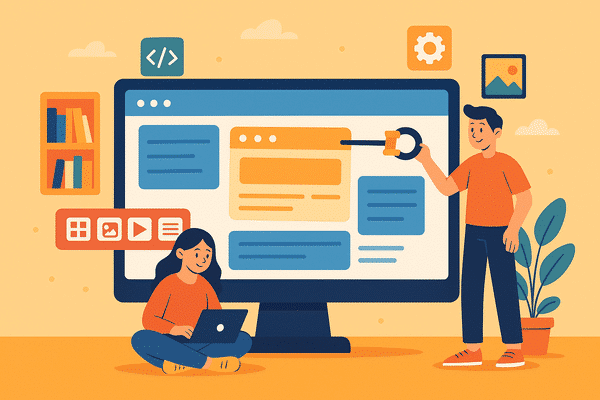
Top 10 WordPress Page Builder Plugins
Amazing Tools for Web Designers in Egypt and the Arab World
Introduction: The Importance of Page Builder Plugins in WordPress
In the world of web design, having advanced programming skills is no longer necessary thanks to WordPress page builder plugins. These plugins are magical tools that allow you to create a professional website easily and quickly without writing a single line of code. Whether you are a beginner or a professional, choosing the right plugin can make a huge difference in the quality of your site and the speed of its development.
What Makes WordPress Page Builder Plugins Special?
Ease of Use
Most plugins rely on drag-and-drop systems, making the design experience smoother even for non-specialists.
Customization and Integration
These plugins support wide integration with themes, other plugins, and marketing and email tools, making the site more powerful and flexible.
Enhanced User Experience
These tools provide advanced design options that enable you to create attractive, interactive, and responsive pages for all devices.
1. Elementor – The King of Plugins
Elementor is the most popular and widely used plugin in the Arab world. It comes with an easy-to-use interface, ready-made design elements, and strong Arabic language support.
Main Features:
- True visual editor (What You See Is What You Get)
- Huge library of ready-made templates
- Compatible with almost all themes
Free vs Paid Versions:
- Free: sufficient for basic websites
- Paid: unlocks professional features such as WooCommerce Builder and Theme Builder
2. Beaver Builder – Power and Simplicity
A great plugin for professional designers, offering excellent stability and performance.
Features:
- Automatically responsive design
- Strong technical support
- Lightweight on servers
3. WPBakery Page Builder – Complete Flexibility
One of the oldest and most stable plugins, included in many famous themes.
Key Features:
- Backend and frontend drag-and-drop editor
- Ready elements that can be customized
- Supports external add-ons
4. Divi Builder – An Integrated Design Experience
From Elegant Themes, offering an impressive editor with powerful visual design tools.
Highlights:
- Huge library of templates
- Comprehensive settings for each element
- Ability to save designs as layouts
5. Brizy – Best for Beginners
Extremely simple interface, effective for quick design.
Key Features:
- Hundreds of ready blocks
- Integration with email marketing
- Strong free version
6. SiteOrigin Page Builder – Practical and Free
One of the oldest free plugins, known for its lightness and speed.
Why Choose It?
- Compatible with most themes
- Lightweight on site resources
- Supports grid-based layouts
7. Thrive Architect – Ideal for Marketing and Conversions
Designed specifically for building landing pages and sales pages.
Features:
- Full marketing integrations
- High-converting page designs
- Effective user interface
8. Oxygen Builder – For Developers Only
A plugin that gives full control over code and design, ideal for programmers.
Features:
- Very lightweight
- Ability to use custom PHP and CSS
- Doesn’t rely on themes
9. Visual Composer – A Complete Design Platform
Provides a comprehensive, easy-to-use editor with dynamic design capabilities.
Features:
- Over 300 design elements
- Advanced tools for designing headers and footers
- Device-specific design support
10. Gutenberg – The Official WordPress Option
The default block editor, continuously improving and considered the future of WordPress.
Features:
- Free and integrated
- Supports customization through blocks
- Many add-ons to expand capabilities, such as Kadence Blocks
Best Arabic-Supporting Plugins for Site Building
- Arqam: Display social media follower counts
- WPML: Full multilingual translation support, including Arabic
- RTL Support: Many plugins support RTL (Right-to-Left) for better Arabic user experience
Golden Tips for Choosing the Right Plugin
- Define your project needs before choosing a plugin
- Test plugin speed and performance with tools like GTMetrix
- Check Arabic language support and ease of use
- Compare free vs paid versions in terms of features and cost
Free vs Paid Plugins
| Aspect | Free Version | Paid Version |
|---|---|---|
| Features | Limited | Comprehensive and advanced |
| Support | User community only | Direct company support |
| Updates | Basic only | Regular and extended updates |
| Integration | Limited | Integrates with marketing tools & e-commerce |
How Do Plugins Affect Site Speed?
Some plugins consume a lot of resources, leading to slower page load times.
- Use tools like Pingdom and PageSpeed Insights to test performance.
- Always choose lightweight, well-coded plugins.

FAQs
- Can multiple page builder plugins be used on the same site?
It is recommended to use only one to avoid conflicts and negative effects on performance. - Which plugin is best for beginners?
Brizy and Elementor are the best in terms of ease of use. - Are there fully Arabic plugins?
Yes, such as Arqam and WPML, in addition to RTL support in major design plugins. - Which is better: Elementor or WPBakery?
Elementor has a more advanced interface and better Arabic support. - Are free plugins sufficient?
Yes, for simple sites, but for business websites, paid versions are recommended. - Do plugins affect security?
Trusted plugins don’t, but it’s recommended to use plugins from well-known developers.
Conclusion: Tools That Make a Difference in Every Website
Choosing the right page builder plugin for WordPress can truly transform your work efficiency, whether you are a freelancer in Egypt or an agency owner in the Gulf. It is important to try the tools and select the one that matches your technical and business goals.
For more advanced tools and tips, visit rosybrown-hawk-525785.hostingersite.com






No comment