






The Best Design Themes in WordPress: Top Choices for a Faster, Better Website
Choosing the right WordPress theme is one of the most important decisions you will make when building a website. Your theme affects much more than colors and typography. It can influence page speed, mobile usability, SEO, WooCommerce compatibility, customization options, and even how easily you can maintain your website in the future.
And WordPress remains an enormous part of the web. As of August 2026, W3Techs reports that WordPress powers about 40.7% of all websites and holds roughly 58.9% of the CMS market.
That popularity has created an equally large theme ecosystem. The official WordPress.org Theme Directory currently advertises more than 15,000 free WordPress themes, with thousands available through its searchable directory at any given time.
With so many options, finding the best WordPress theme can be difficult.
At EG-WP, where we focus on WordPress theme and plugin activation solutions, we know that a great website starts with choosing tools that work well together. In this guide, we will look at some of the best WordPress design themes, what makes a theme worth using, and which options are best suited to different types of websites.
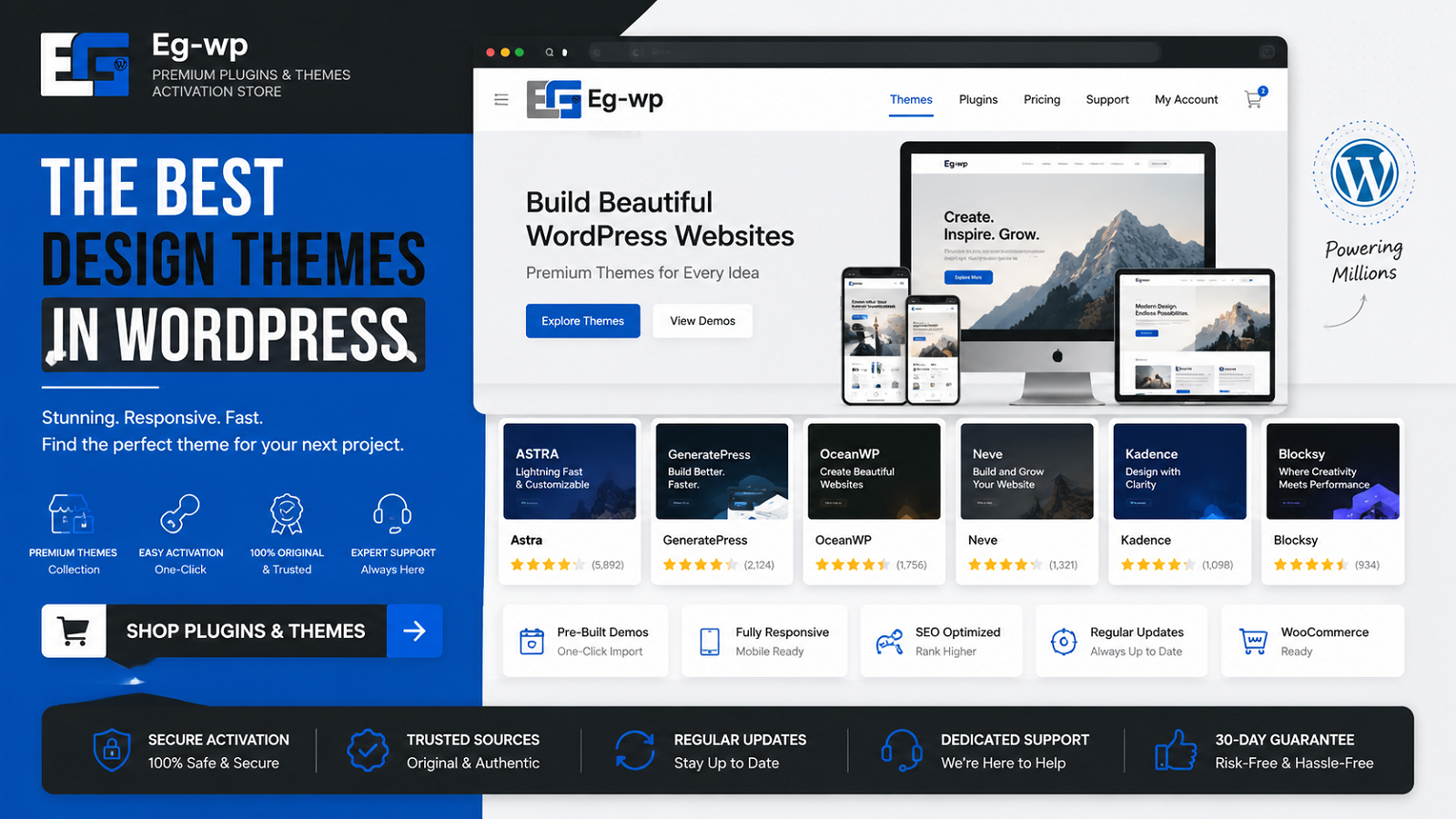
What Makes a Great WordPress Theme?
The best-looking WordPress theme is not necessarily the best theme for your website.
A strong WordPress theme should balance design, performance, flexibility, compatibility, and usability.
Before choosing your theme, pay attention to the following factors.
1. Fast Loading Performance
Speed should be one of your first considerations.
A heavily coded theme filled with unnecessary scripts, animations, frameworks, and features can make an otherwise simple website slow. Lightweight themes generally give you a better foundation for optimization.
This becomes especially important if you plan to use page builders, WooCommerce, analytics tools, marketing plugins, security plugins, or other extensions.
Instead of selecting a theme simply because its demo looks impressive, ask:
- Is the theme lightweight?
- Does it load unnecessary JavaScript or CSS?
- Does it work well with caching plugins?
- Is it regularly optimized by its developers?
- Can you disable features you do not need?
A clean theme combined with carefully selected plugins usually performs better than an oversized “all-in-one” theme containing hundreds of features you will never use.
2. Responsive and Mobile-Friendly Design
Modern WordPress themes should work across desktops, tablets, and smartphones without requiring a separate mobile website.
Layouts should automatically adapt to different screen sizes while keeping menus, images, forms, buttons, product pages, and text easy to use.
Responsive design is particularly important for stores and lead-generation websites. A beautiful desktop design provides little value if visitors struggle to navigate it on their phones.
When testing a WordPress theme, check more than the homepage. Look at:
- Blog posts
- Product pages
- Checkout pages
- Contact forms
- Navigation menus
- Popups
- Footer layouts
- Tables
- Images and galleries
A truly responsive WordPress theme should remain usable throughout the entire website.
3. Compatibility With WordPress Plugins
One of WordPress’s biggest advantages is its extensibility.
The platform can be transformed into a store, membership website, online course, business portal, portfolio, community, or publication through themes and plugins.
Your theme therefore needs to cooperate with the plugins your website depends on.
For example, an online store should have strong WooCommerce compatibility, while a site built with Elementor should use a theme designed to work smoothly with Elementor.
The importance of the broader WordPress ecosystem is visible in current usage data. W3Techs identifies Elementor as one of WordPress’s major subtechnologies, reporting it on a significant portion of WordPress-powered websites.
That is one reason lightweight themes designed around popular builders have become so successful.
4. Easy Customization
A good WordPress theme should give you control without forcing you to edit PHP, CSS, or template files every time you want to change something.
Useful customization options include:
- Global colors
- Typography
- Header layouts
- Footer layouts
- Blog layouts
- Sidebar settings
- Container widths
- Button styling
- WooCommerce layouts
- Custom menus
- Page templates
Modern block themes can provide even deeper customization through WordPress’s Site Editor, allowing users to modify templates and global styles directly from WordPress.
WordPress.org itself now includes dedicated filters and categories for block themes, block editor patterns, block editor styles, template editing, accessibility-ready themes, and other modern capabilities.
The Best WordPress Themes to Consider
There is no single theme that is perfect for every website. However, a handful of themes consistently stand out because they combine strong design options with performance and broad plugin compatibility.
Some of the most important options to consider include:
Astra — Excellent for businesses, blogs, WooCommerce stores, and page-builder websites.
GeneratePress — A particularly strong choice when performance and clean code are priorities.
Kadence — Offers powerful design controls while remaining relatively lightweight.
Blocksy — A modern theme with extensive customization and strong WooCommerce features.
Hello Elementor — A minimal foundation designed primarily for websites built using Elementor.
OceanWP — A flexible multipurpose theme with extensive customization and eCommerce features.
Several of these themes—including Hello Elementor, Astra, Kadence, OceanWP, Blocksy, and GeneratePress—currently appear prominently in WordPress.org’s popular theme listings, making them especially relevant when evaluating established WordPress design options.
Best WordPress Themes Compared: Astra, GeneratePress, Kadence, Blocksy, Hello Elementor, and OceanWP
Now that we have covered what makes a good WordPress theme, it is time to compare some of the strongest options available.
There is no universal winner. A theme that is perfect for an Elementor landing page may not be the best choice for a content-heavy blog or a large WooCommerce store.
For that reason, this section focuses on six themes that stand out for different purposes.
1. Astra — Best Overall WordPress Theme
Best for: Business websites, blogs, WooCommerce, agencies, freelancers, and general-purpose WordPress sites.
Astra remains one of the strongest all-around WordPress themes because it gives users considerable design flexibility without locking them into a single page-building system.
According to WordPress.org, Astra currently has more than 1 million active installations and a rating of approximately 4.9 out of 5 stars. It also has more than 6,000 five-star reviews, which gives it one of the largest bodies of positive user feedback among themes in the official directory.
Astra works with popular tools including:
- Elementor
- Spectra
- Beaver Builder
- WooCommerce
- SureCart
- The native WordPress block editor
That flexibility is important.
Many WordPress users eventually change their design workflow, add eCommerce functionality, or introduce new plugins. Using a broadly compatible theme can make those changes easier.
Why Astra Is So Popular
One of Astra’s biggest advantages is its balance.
It is customizable enough for designers but straightforward enough for beginners. It also provides starter templates that can dramatically reduce the amount of time needed to create a professional-looking site.
Instead of designing every page from scratch, you can begin with a template and customize:
- Colors
- Fonts
- Headers
- Footers
- Blog layouts
- Sidebars
- Navigation
- Buttons
- Content widths
- WooCommerce pages
Astra’s WordPress.org listing also emphasizes mobile-first design, clean code, schema markup, and compatibility with major page builders.
Astra Pros
- More than 1 million active installations
- Excellent page-builder compatibility
- Strong WooCommerce support
- Large starter-template ecosystem
- Extensive customization controls
- Suitable for beginners and professional developers
- Strong community and documentation
Astra Cons
Some advanced features require the premium version or companion products.
Beginners can also be overwhelmed by the number of available settings and integrations if they simply want an extremely minimal blog.
EG-WP Verdict
For most users who ask us for a single theme that can handle almost any normal WordPress project, Astra is one of the safest recommendations.
It works particularly well when you expect your website to grow because you can begin with a relatively simple design and expand later using plugins, WooCommerce, page builders, or additional customization.
2. GeneratePress — Best WordPress Theme for Performance
Best for: Blogs, SEO-focused websites, content sites, affiliate websites, developers, and performance-conscious users.
GeneratePress has built its reputation around simplicity and performance.
Its developers state that a fresh installation adds less than 10 KB gzipped to a page, making its core theme unusually lightweight compared with many multipurpose themes. WordPress.org currently reports 500,000+ active GeneratePress installations and a near-perfect 5-star rating, including more than 1,300 five-star reviews.
That makes GeneratePress particularly attractive for publishers and website owners who want to keep their foundation as lean as possible.
Why GeneratePress Is Great for SEO-Focused Sites
A WordPress theme alone cannot guarantee good Google rankings.
SEO depends on many factors, including:
- Content quality
- Search intent
- Backlinks
- Internal linking
- Site architecture
- Core Web Vitals
- Server performance
- Mobile usability
- Technical SEO
However, a lightweight theme can remove unnecessary performance problems from the equation.
GeneratePress focuses heavily on clean layouts and avoids adding large amounts of visual functionality that you may never use.
It also works with the Gutenberg block editor and major page builders such as Elementor and Beaver Builder. WordPress.org lists WooCommerce support as well.
GeneratePress Pros
- Very lightweight core theme
- Excellent option for blogs
- Strong reputation for clean code
- Compatible with Gutenberg
- Works with Elementor and Beaver Builder
- WooCommerce compatible
- Highly suitable for developers
- 500,000+ active installations
GeneratePress Cons
Its default appearance is intentionally minimal.
If you want a highly designed website immediately after activation, GeneratePress may feel less visually impressive than Astra, Kadence, or Blocksy until you customize it.
EG-WP Verdict
If performance and simplicity are your highest priorities, GeneratePress deserves to be near the top of your shortlist.
It is especially suitable for blogs, affiliate websites, news-style sites, documentation projects, and businesses that prefer a clean design rather than heavy visual effects.
3. Kadence — Best Balance of Design and Ease of Use
Best for: Business websites, online courses, blogs, WooCommerce stores, and users who want strong customization without excessive complexity.
Kadence has become one of the most popular modern WordPress themes because it provides a strong middle ground between lightweight performance and advanced visual customization.
WordPress.org currently reports 500,000+ active installations for Kadence and an average rating of around 4.9 out of 5 stars.
One particularly useful feature is its drag-and-drop header and footer builder.
This makes it easier to create layouts containing elements such as:
- Logos
- Navigation menus
- Search icons
- Social links
- Call-to-action buttons
- Account links
- Shopping carts
without manually editing theme files.
Kadence also provides global typography and color controls, allowing you to change your site’s visual identity from a central location.
Strong Gutenberg Integration
Kadence is particularly attractive to users who prefer WordPress’s native block editor.
Its companion Kadence Blocks plugin currently has more than 600,000 active installations, according to WordPress.org.
Combining Kadence Theme with a block-building toolkit can produce sophisticated layouts without requiring a heavier traditional page builder.
Kadence Pros
- 500,000+ active theme installations
- Powerful header and footer builder
- Global font and color controls
- Starter templates
- Strong block-editor integration
- WooCommerce compatibility
- Useful for course and membership websites
- Good balance between usability and flexibility
Kadence Cons
Some of its most advanced functionality belongs to the paid ecosystem.
Users who install numerous companion features should also avoid activating tools they do not actually need.
EG-WP Verdict
Kadence is one of the best WordPress themes for users who want modern design controls without completely depending on Elementor or another page builder.
It is an especially compelling choice for business websites and Gutenberg-focused builds.
4. Blocksy — Best Modern WordPress Theme for WooCommerce
Best for: Modern business websites, online stores, Gutenberg sites, portfolios, and design-focused projects.
Blocksy is newer than several of the other themes on this list, but its adoption has been impressive.
The official WordPress directory currently reports 300,000+ active installations and a 5-star average rating, with more than 860 five-star reviews.
Its WordPress.org listing specifically highlights its advanced WooCommerce support and full compatibility with the block editor.
That makes it an attractive option if you want a modern theme that feels closely aligned with the direction WordPress itself is moving.
Why Blocksy Works Well for Stores
WooCommerce websites have more complex requirements than standard blogs.
A store theme needs to handle:
- Product archives
- Individual products
- Shopping carts
- Account areas
- Product images
- Search
- Mobile navigation
- Conversion-focused layouts
while remaining visually consistent with the rest of the website.
Blocksy’s emphasis on WooCommerce functionality makes it particularly appealing for store owners who want more design control around those areas.
Blocksy Pros
- Modern visual design
- 300,000+ active installations
- Excellent WordPress.org user rating
- Strong WooCommerce integration
- Gutenberg compatibility
- Block patterns and editor styles
- Extensive layout controls
- Accessibility-ready according to WordPress.org
Blocksy Cons
Its broad set of customization options means there can be a learning curve for complete beginners.
Some higher-end features also belong to Blocksy’s premium extensions.
EG-WP Verdict
If you are starting an eCommerce website or modern business site, Blocksy should be on your shortlist.
Its combination of WooCommerce support, customization, block-editor compatibility, and modern design makes it one of the most interesting alternatives to Astra and Kadence.
5. Hello Elementor — Best Theme for Elementor Users
Best for: Elementor websites, landing pages, custom agency designs, and users who plan to build nearly everything through Elementor.
Hello Elementor takes a fundamentally different approach.
Rather than giving you a large collection of built-in design options, it acts as a lightweight foundation for the Elementor page builder.
That strategy has clearly attracted a large audience. WordPress.org currently lists more than 1 million active installations for Hello Elementor.
The theme is developed specifically to integrate with Elementor and intentionally provides a minimal base on which users can create their own designs.
When Hello Elementor Makes Sense
Hello Elementor is best when you already know that Elementor will control most of your website.
For example, an agency could use Elementor to design:
- Headers
- Footers
- Landing pages
- Blog templates
- Product layouts
- Contact pages
- Archive pages
In that situation, a theme with extensive built-in styling may simply create duplicated functionality.
Hello Elementor minimizes that overlap.
Hello Elementor Pros
- More than 1 million active installations
- Built specifically for Elementor
- Minimal theme foundation
- Suitable for custom designs
- Free and open source
- Responsive
- Accessibility-ready according to WordPress.org
Hello Elementor Cons
Its simplicity can also be its biggest disadvantage.
If you stop using Elementor or want the theme itself to control most of your site’s appearance, Hello Elementor provides fewer built-in design features than Astra, Kadence, Blocksy, or OceanWP.
It also has a lower WordPress.org user rating than several competitors: approximately 4.2 out of 5 stars at the time of writing.
EG-WP Verdict
Choose Hello Elementor when Elementor is the center of your website-building workflow.
If you want a theme that remains highly customizable independently of a page builder, Astra, Kadence, or Blocksy may be better choices.
6. OceanWP — Best Feature-Rich Multipurpose Theme
Best for: WooCommerce stores, business websites, portfolios, blogs, and users who want extensive traditional theme customization.
OceanWP is another long-established option with a large user base.
As of August 2026, WordPress.org reports 500,000+ active installations, an average rating of approximately 4.9 out of 5 stars, and more than 5,500 five-star reviews.
Its developers position OceanWP as a multipurpose theme that works with major page builders, including Elementor, Beaver Builder, Brizy, Divi, SiteOrigin, and others.
It also includes dedicated WooCommerce functionality.
Why OceanWP Still Matters
Modern WordPress development is increasingly centered on blocks, but many users still prefer the traditional theme-customization model.
OceanWP provides extensive settings and integrations for these users.
It can work especially well when building:
- Company websites
- Portfolios
- Blogs
- Online stores
- Service websites
- Agency sites
- Marketing websites
OceanWP also allows responsive settings to be adjusted for different device sizes, which is helpful when desktop and mobile layouts need different treatment.
OceanWP Pros
- 500,000+ active installations
- Long-established WordPress theme
- Strong WooCommerce functionality
- Works with major page builders
- Extensive customization options
- Responsive controls
- Large collection of positive reviews
- Useful for many different website types

OceanWP Cons
OceanWP can feel more complex than minimalist alternatives such as GeneratePress.
Because it has a broad ecosystem of features and extensions, site owners should be selective about what they activate.
More functionality is not automatically better.
Every additional theme module or WordPress plugin should have a clear purpose.
EG-WP Verdict
OceanWP remains a strong option for people who prefer a feature-rich multipurpose WordPress theme, particularly for WooCommerce and page-builder websites.
Quick WordPress Theme Comparison
| Theme | Best For | Active Installations* | Main Strength |
|---|---|---|---|
| Astra | Overall use | 1M+ | Flexibility |
| GeneratePress | Speed and blogs | 500K+ | Lightweight foundation |
| Kadence | Business and Gutenberg | 500K+ | Design controls |
| Blocksy | WooCommerce | 300K+ | Modern eCommerce design |
| Hello Elementor | Elementor sites | 1M+ | Minimal Elementor foundation |
| OceanWP | Multipurpose websites | 500K+ | Extensive features |
*Active-installation figures are rounded figures published by WordPress.org and were checked in August 2026.
Which WordPress Theme Is Best?
For most websites, our recommendations can be simplified like this:
Best overall: Astra
Best for performance-focused websites: GeneratePress
Best for Gutenberg and easy customization: Kadence
Best for modern WooCommerce stores: Blocksy
Best for Elementor: Hello Elementor
Best feature-rich multipurpose option: OceanWP
But choosing the theme is only half of the equation.
A WordPress site’s final performance, functionality, security, and user experience also depend heavily on which plugins you install, how your hosting is configured, how images are optimized, and whether unnecessary features are activated.
That is where choosing the right combination of WordPress themes and plugins becomes especially important.
How to Choose the Best WordPress Theme for Your Website
The six themes above are all strong choices, but the best WordPress theme for your website depends on what you are actually building.
A portfolio, WooCommerce store, blog, agency website, and online course do not have the same requirements.
Before installing a theme, start by defining the purpose of your website.
Best WordPress Theme for a Business Website
For most business websites, Astra or Kadence are excellent choices.
Both provide enough flexibility to create professional service pages, landing pages, contact pages, pricing sections, testimonials, and blog layouts without forcing you to build everything from scratch.
They are also compatible with many of the plugins businesses commonly use for:
- Contact forms
- SEO
- Analytics
- Email marketing
- Security
- Appointment booking
- CRM integrations
- Page building
- WooCommerce
Astra is particularly useful if you want a large selection of starter designs, while Kadence is attractive for users who prefer WordPress’s block editor.
Best WordPress Theme for a Blog
For blogs and content-heavy websites, GeneratePress is one of our favorite options.
Its lightweight approach makes it an excellent foundation for websites publishing hundreds or thousands of articles.
When operating a content site, your theme should avoid distracting readers with unnecessary effects. Typography, spacing, navigation, mobile responsiveness, and loading performance usually matter more than advanced animations.
GeneratePress, Astra, and Kadence can all perform well for this type of website.
Best WordPress Theme for WooCommerce
For an online store, consider Blocksy, Astra, or OceanWP.
WooCommerce adds considerably more functionality than a standard WordPress blog, so theme compatibility becomes particularly important.
Look for a theme that handles:
- Product pages
- Product archives
- Shopping carts
- Checkout layouts
- Account pages
- Product galleries
- Mobile shopping
- Store navigation
well before adding additional customization.
Blocksy is particularly attractive if you want a modern WooCommerce-focused design.
Astra offers a larger multipurpose ecosystem, while OceanWP gives users extensive traditional customization options.
Best WordPress Theme for Elementor
If your website is going to be designed primarily with Elementor, Hello Elementor is the obvious starting point.
The theme was specifically designed to work as a lightweight foundation underneath Elementor.
However, Elementor also works with Astra, Kadence, GeneratePress, OceanWP, and many other themes.
Choose Hello Elementor when Elementor will control almost everything.
Choose Astra or another multipurpose theme if you want more functionality from the theme itself.
WordPress Themes vs Plugins: What Is the Difference?
New WordPress users sometimes confuse themes and plugins.
The simplest way to understand the difference is:
Themes control how your website looks.
Plugins add or change functionality.
A theme might control:
- Typography
- Colors
- Header design
- Footer design
- Page layouts
- Blog appearance
A plugin might add:
- SEO tools
- Contact forms
- Security
- Backups
- eCommerce
- Caching
- Membership features
- Analytics
- Social sharing
There is sometimes overlap between the two, but keeping design and functionality reasonably separated makes WordPress websites easier to maintain.
For example, an essential feature such as a contact form should normally come from a plugin rather than being permanently tied to your theme.
That way, changing your WordPress theme does not remove important website functionality.
This is also why proper WordPress theme and plugin activation matters.
A professional WordPress setup is not about installing as many plugins as possible. It is about choosing compatible tools, activating only what you need, and keeping the overall system manageable.
Does Your WordPress Theme Affect SEO?
Yes—but not in the simplistic way some marketing claims suggest.
Installing a particular theme does not automatically move your website to position #1 in Google.
However, a theme can influence several technical and user-experience factors related to SEO.
These include:
- Page loading performance
- Mobile usability
- HTML structure
- Accessibility
- Navigation
- Internal linking opportunities
- Layout stability
- Schema compatibility
- Core Web Vitals
Google’s Core Web Vitals focus on real-world user experience through metrics such as loading performance, responsiveness, and visual stability.
A badly optimized theme can make those areas harder to improve.
That is why lightweight, well-maintained themes are usually a better starting point than themes filled with unnecessary effects and scripts.
Your Theme Is Only Part of Website Speed
It is important to understand that switching themes alone will not magically make every WordPress site fast.
Performance also depends on:
- Hosting quality
- PHP configuration
- Database optimization
- Image compression
- Caching
- CDN configuration
- Number of plugins
- Plugin quality
- Fonts
- Tracking scripts
- Advertising scripts
- Third-party integrations
Even the lightest theme can become slow when combined with dozens of poorly optimized plugins.
Similarly, a slightly heavier theme may still perform extremely well when the rest of the website is properly configured.
7 Mistakes to Avoid When Choosing a WordPress Theme
1. Choosing a Theme Only Because the Demo Looks Good
Theme demos are designed to look impressive.
They often use professional images, carefully written text, premium plugins, custom layouts, and optimized hosting.
Do not assume your website will automatically look identical after installing the theme.
Evaluate the underlying features as well as the demo.
2. Installing Too Many Theme Add-ons
Some themes provide dozens of optional modules.
That does not mean you need all of them.
Activate only the functions your website actually uses.
This keeps the WordPress dashboard easier to manage and can reduce unnecessary code.
3. Ignoring Mobile Design
Always test the mobile version.
A large proportion of web browsing now happens through mobile devices, so a theme that only looks good on desktop is not enough.
Pay particular attention to menus, buttons, forms, product pages, and typography.
4. Using an Abandoned Theme
Never choose a theme simply because it was once popular.
Check whether it is still actively maintained.
WordPress itself evolves constantly. PHP versions change, browsers change, WooCommerce changes, and security requirements change.
Themes need updates to remain compatible.
5. Installing Too Many Plugins to Fix the Theme
If you need ten plugins just to make your theme perform basic design tasks, you may have chosen the wrong theme.
A good theme should provide the core layout functionality you need while leaving specialized features to plugins.
6. Ignoring Plugin Compatibility
Before committing to a theme, confirm that it supports your most important plugins.
This is especially important for:
- WooCommerce
- Elementor
- Membership plugins
- Learning management systems
- Multilingual plugins
- SEO plugins
Compatibility problems can be expensive to fix after the site has already been designed.
7. Assuming Premium Always Means Better
Free WordPress themes can be excellent.
Astra, GeneratePress, Kadence, Blocksy, Hello Elementor, and OceanWP all have free versions available through WordPress.org.
Premium upgrades can be worthwhile when you need advanced features, but paying for a theme does not automatically make it faster, safer, or more suitable for your project.
Frequently Asked Questions About WordPress Themes
What Is the Best WordPress Theme?
There is no single best theme for every website.
For general use, Astra is one of the strongest choices. GeneratePress is excellent for performance-focused websites, Kadence works well for block-editor users, Blocksy is particularly strong for WooCommerce, and Hello Elementor is ideal for Elementor-centered builds.
What Is the Fastest WordPress Theme?
Performance depends on testing conditions, so claims that one theme is universally the “fastest” should be treated carefully.
GeneratePress is notable for its lightweight architecture, while Astra, Kadence, Blocksy, and Hello Elementor are also designed with performance in mind.
Your hosting, plugins, images, caching, and scripts will usually have a significant effect on real-world speed.
Can I Change My WordPress Theme Later?
Yes.
WordPress allows you to switch themes without deleting your posts and pages.
However, design-specific settings, widgets, template layouts, shortcodes, and page-builder elements may require adjustment after changing themes.
For an established website, always create a backup and test major theme changes on a staging site first.
Should I Use a Free or Premium WordPress Theme?
Start with your requirements.
A free theme may be all you need for a blog, small company site, portfolio, or basic WooCommerce store.
Premium versions become useful when you need more advanced headers, layout controls, WooCommerce functions, templates, support, or other specialized features.
How Many WordPress Themes Should I Install?
You only need one active WordPress theme.
Keeping one default WordPress theme as a backup can also be useful for troubleshooting.
Unused themes should generally be removed if they serve no purpose.
Final Verdict: What Are the Best Design Themes in WordPress?
WordPress gives website owners an enormous amount of choice.
The official WordPress.org ecosystem contains thousands of themes, while WordPress itself powers roughly four out of every ten websites on the web.
That level of adoption is one of the reasons WordPress remains attractive to businesses, developers, bloggers, eCommerce stores, agencies, and independent creators.
But having thousands of options does not mean you should choose randomly.
For most users, our shortlist is:
- Astra — Best overall WordPress theme
- GeneratePress — Best for performance and content websites
- Kadence — Best combination of customization and Gutenberg
- Blocksy — Best modern option for WooCommerce
- Hello Elementor — Best for Elementor websites
- OceanWP — Best feature-rich multipurpose option
The right choice ultimately depends on what your website needs to accomplish.
A successful WordPress website does not require hundreds of plugins or the most expensive theme.
It requires a stable combination of good design, reliable plugins, sensible performance optimization, and properly configured WordPress tools.
Build Your WordPress Website With EG-WP
At EG-WP, our focus is helping WordPress users get more from the themes and plugins that power their websites.
Whether you are building a business website, WooCommerce store, blog, portfolio, or client project, choosing the right WordPress theme is only the beginning.
The next step is creating the right combination of themes, plugins, and features for your particular website.
Explore EG-WP for WordPress theme and plugin activation solutions, WordPress resources, recommendations, and guides designed to help you build a better website.
The best WordPress setup is not the one with the most features.
It is the one where every theme, plugin, and feature has a purpose.


No comment