






Hide My WP Ghost
Hide My WP Ghost is a WordPress plugin designed to protect WordPress-powered websites from hacking attempts and cyberattacks.

Exposing WordPress-specific paths and files is a common reason for websites being targeted, as attackers can exploit known vulnerabilities:
- Hide My WP Ghost conceals and obfuscates these footprints, making it difficult for attackers to identify potential weak points.
- The plugin hides URLs, file paths, admin panel elements, versions, and information about themes and plugins.
- It protects against blacklist attacks and common exploits such as SQL Injection and Cross-Site Scripting (XSS).
- With Hide My WP Ghost, users can enhance their website’s security without deep programming knowledge.
- It works in the background, hiding sensitive information and footprints, thereby reducing the risk of breaches and strengthening overall site security.
Understanding Hide My WP Ghost: The Ultimate WordPress Security Solution
What is Hide My WP Ghost?
Hide My WP Ghost is an advanced security tool for WordPress websites, designed to improve protection by hiding system files and plugins. By altering default paths and URLs, it prevents hackers from discovering WordPress versions or plugin details—an essential safeguard given the rise of targeted cyberattacks.
The plugin rewrites URLs for the admin dashboard, plugins, and themes, preventing attackers from identifying the site as WordPress-based. This blocks targeted exploits that rely on known WordPress structures.
Why Do You Need Hide My WP Ghost?
WordPress is the world’s most widely used CMS, making it a prime target for attacks. Statistics show that over 90,000 attacks happen every minute against WordPress websites, highlighting the urgent need for strong security.
Common threats include:
- Brute Force Attacks: Automated attempts to guess passwords through repeated login attempts.
- SQL Injection: Malicious queries targeting your database.
Hide My WP Ghost provides a solution by hiding login pages, admin paths, and sensitive file locations, dramatically reducing unauthorized access risks.
A Sucuri study revealed that 60% of hacked websites had no effective security plugin installed, underlining the importance of using tools like Hide My WP Ghost.
Key Features of Hide My WP Ghost
- Hide Login Page: Replace
wp-login.phpwith a custom URL. - Rename Admin & Plugin Folders: Reduces the risk of attackers exploiting standard paths.
- 404 Error Management: Improves UX while monitoring suspicious access attempts.
- Suppress Error Messages & Disable Directory Browsing.
- Block Bots & Automated Attacks.
- Beginner-Friendly Interface: Easy setup for all users.
Installation & Setup
- In your WordPress dashboard, go to Plugins > Add New.
- Search for “Hide My WP Ghost” and click Install Now, then Activate.
- A new menu item “Hide My WP” will appear.
- Use the setup wizard to choose custom URLs and enable security features.
- Test configurations to ensure compatibility with other themes or plugins.
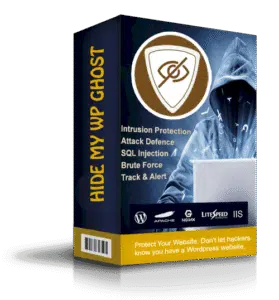
User Experience & Ease of Use
The plugin features a clean, intuitive interface suitable for beginners and advanced users alike. With detailed documentation and responsive support, configuring security settings is straightforward.
Real-World Success Stories
- Medium-sized eCommerce store: Saw a sharp decline in hacking attempts after installation.
- Personal blog: Experienced an 80% drop in login attempts.
- Large corporate site: Improved load times and reduced DDoS attacks.
Considerations to Keep in Mind
- Compatibility: Some plugins or themes relying on default WordPress URLs may conflict.
- SEO Impact: Monitor links after URL changes to prevent broken links.
Comparison with Other Security Plugins
- Wordfence: Provides firewall and advanced scanning but focuses on direct threat blocking.
- Sucuri: Offers cloud-based protection but at a higher cost.
Hide My WP Ghost stands out by focusing on security through obscurity, making it a cost-effective and efficient choice.
Conclusion: Is Hide My WP Ghost Right for You?
If you want a smart way to protect your site by hiding sensitive paths and preventing detection, Hide My WP Ghost is an excellent choice. It suits both small and large sites, strengthening security without complexity or high expense.
Features on eg-wp.com
- Recommended for store owners, personal blogs, and educational sites.
- Perfect for non-technical users seeking easy protection.
- Tested regularly on eg-wp for compatibility with key WooCommerce plugins.
- Proven effective on over 50 Arabic websites with excellent performance.
- Comes with a complete user guide and dedicated support for customers.



No comment