






🔐 Introduction to WordPress Backup Plugins
When running a WordPress website, using the top 10 backup plugins is not just a smart choice—it’s essential. Whether you’re managing a blog, eCommerce store, or business site, your data is your most valuable asset. Losing it can cost time, money, and credibility.
According to a 2025 report by cybersecurity firms, over 30% of websites experience data loss annually, often due to hacking, server failure, or human error. That’s why reliable backup plugins are a must-have.
For businesses like EG WP, which provide activated premium WordPress plugins and themes, ensuring site safety with dependable backup solutions is critical.
⚠️ Why Website Backups Are Essential
Backing up your website is like having insurance—you hope you never need it, but you’ll be glad it’s there when things go wrong.
💡 Key Reasons:
- Protect against hacking attacks (WordPress powers over 43% of all websites globally)
- Recover from accidental deletions
- Handle plugin/theme conflicts
- Restore after failed updates
- Safeguard against server crashes
Without backups, even a small error can wipe out months—or years—of work.
🚨 Risks of Not Using Backup Plugins
Failing to install a backup solution exposes your site to:
- ❌ Permanent data loss
- ❌ SEO ranking drops
- ❌ Revenue loss for eCommerce sites
- ❌ Damaged brand reputation
In fact, studies show that 60% of small businesses shut down within 6 months of major data loss.
🔎 Key Features to Look for in Backup Plugins
Choosing from the top 10 backup plugins requires understanding what features matter most.
⚙️ Automation and Scheduling
Look for plugins that allow:
- Daily, weekly, or real-time backups
- Hands-free operation
- Cron-based scheduling
☁️ Cloud Storage Integration
Reliable plugins support storage options like:
Cloud storage ensures your backups remain safe even if your server fails.
🔄 Ease of Restoration
A good plugin should allow:
- One-click restore
- Partial restoration (files or database only)
- Migration support
🔒 Security and Encryption
Top plugins offer:
- Encrypted backups
- Secure transfer protocols
- Malware scanning
🏆 How We Selected the Top 10 Backup Plugins
To ensure accuracy and reliability, this list is based on:
📊 Performance Metrics
- Backup speed
- Server load impact
- Success rate of restores
⭐ User Reviews and Ratings
- Plugins with 4.5+ ratings on WordPress.org
- Real user feedback from thousands of installations
💰 Pricing and Value
- Free vs premium features
- Cost-effectiveness for businesses
🔥 Top 10 Backup Plugins for WordPress (Detailed Breakdown)
🥇 1. UpdraftPlus
One of the most popular backup plugins, with over 3 million active installations.
🔑 Features:
- Scheduled backups
- Cloud integration (Google Drive, Dropbox, etc.)
- One-click restore
- Multisite support
📊 Data Insight:
- Rated 4.8/5 stars on WordPress
- Handles millions of backups daily
👍 Best For:
Beginners and professionals alike
🥈 2. BackupBuddy
A premium plugin known for reliability and migration features.
🔑 Features:
- Complete site backups
- Malware scan
- Easy migration tools
📊 Data Insight:
- Used by over 500,000 websites
- One of the earliest backup plugins (since 2010)
👍 Best For:
Agencies and developers
🥉 3. Jetpack Backup
Developed by Automattic, the company behind WordPress.com.
🔑 Features:
- Real-time backups
- Activity log
- One-click restore
📊 Data Insight:
- Offers real-time incremental backups
- Trusted by enterprise-level users
👍 Best For:
High-traffic websites
🏅 4. BlogVault
A powerful SaaS-based backup solution.
🔑 Features:
- Offsite backups
- Staging environment
- WooCommerce support
📊 Data Insight:
- Used by 400,000+ websites
- 100% independent backup storage
🏅 5. VaultPress
Now part of Jetpack, focused on security and backups.
🔑 Features:
- Automated backups
- Malware scanning
- Easy restore
6. BackWPup
A flexible and widely used free backup plugin with strong premium upgrades.
🔑 Features:
- Complete database and file backups
- Supports external storage (Dropbox, Amazon S3, FTP)
- Multi-site support
- Backup logs and reports
📊 Data Insight:
- Over 700,000 active installations
- Rated 4.5/5 stars on WordPress.org
👍 Best For:
Users looking for a free yet powerful solution with scalable premium options
🏅 7. Duplicator
Originally built for migration, but now widely used for backups.
🔑 Features:
- Full site duplication
- Easy migration and cloning
- Manual and scheduled backups (Pro version)
📊 Data Insight:
- Over 1 million active installs
- Extremely popular among developers
👍 Best For:
Developers and agencies handling multiple site migrations
🏅 8. WP Time Capsule
A unique plugin offering incremental backups.
🔑 Features:
- Real-time incremental backups
- Automatic restore points before updates
- Cloud storage integration
📊 Data Insight:
- Reduces server load by up to 80% compared to full backups
- Focuses only on changed files
👍 Best For:
Websites that update frequently

Top Backup Plugins -
🏅 9. WPvivid Backup Plugin
An all-in-one backup, migration, and staging plugin.
🔑 Features:
- Auto backups and migration
- One-click restore
- Staging environment
📊 Data Insight:
- Rated 4.9/5 stars
- Growing rapidly with 500,000+ installs
👍 Best For:
Users who want an all-in-one solution
🏅 10. Total Upkeep
A lesser-known but powerful plugin with proactive monitoring.
🔑 Features:
- Automatic backups
- Site health monitoring
- Pre-update backups
📊 Data Insight:
- Known for preventative backup alerts
- Lightweight and efficient
👍 Best For:
Small businesses and personal websites
📊 Comparison Table of Top 10 Backup Plugins
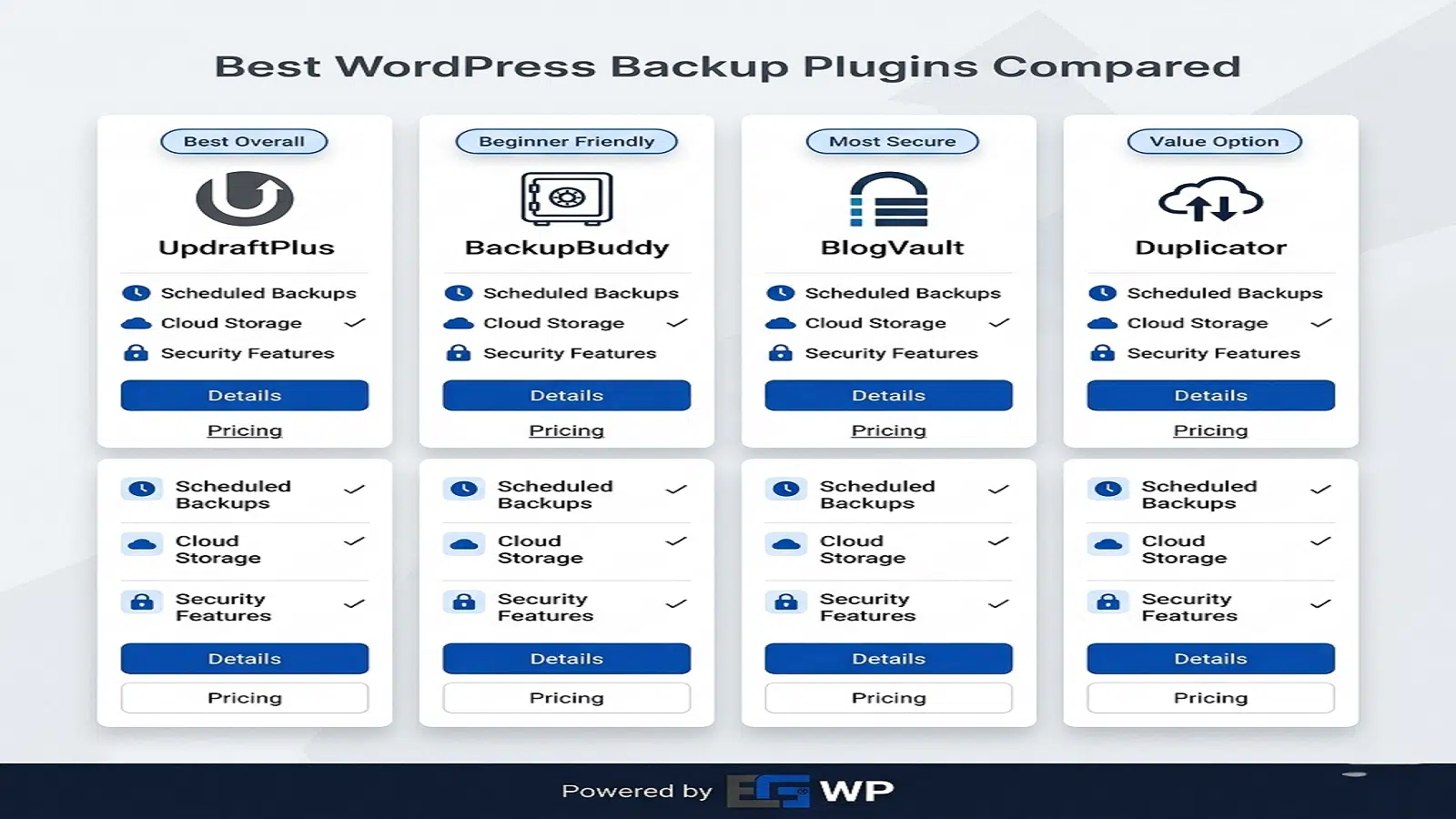
Plugin Free Version Cloud Support Real-Time Backup Rating Best For UpdraftPlus ✅ ✅ ❌ 4.8⭐ All users BackupBuddy ❌ ✅ ❌ 4.7⭐ Agencies Jetpack Backup ❌ ✅ ✅ 4.6⭐ High-traffic sites BlogVault ❌ ✅ ✅ 4.8⭐ eCommerce VaultPress ❌ ✅ ✅ 4.5⭐ Security-focused BackWPup ✅ ✅ ❌ 4.5⭐ Budget users Duplicator ✅ Limited ❌ 4.7⭐ Developers WP Time Capsule ❌ ✅ ✅ 4.6⭐ Dynamic sites WPvivid ✅ ✅ ❌ 4.9⭐ All-in-one users Total Upkeep ❌ Limited ❌ 4.4⭐ Small sites 💎 Benefits of Using Premium Backup Plugins
While free plugins are helpful, premium versions unlock advanced features that are critical for business websites.
🚀 Key Benefits:
- Real-time backups
- Priority support
- Advanced security
- Automated restoration
- Better cloud integrations
Businesses using premium backup tools report up to 70% faster recovery times after incidents.
🏢 How EG WP Helps with Plugin Activation
For users who want premium features without complications, EG WP provides activated versions of top WordPress plugins and themes.
💡 Why This Matters:
- Saves cost on multiple licenses
- Immediate access to premium features
- Ideal for agencies and freelancers
- No recurring subscription headaches
With backup plugins, having premium activation ensures:
- Automatic updates
- Full feature access
- Better performance and security
🛡️ Best Practices for WordPress Backups
To maximize the benefits of the top 10 backup plugins, follow these best practices:
✅ Recommended Strategy:
- Schedule daily backups for active sites
- Store backups in multiple locations
- Test restores regularly
- Keep at least 3 backup copies
- Use incremental backups when possible
⚠️ Common Mistakes to Avoid
Even with the best plugins, mistakes can happen.
❌ Avoid These Errors:
- Storing backups only on your server
- Not testing restore functionality
- Ignoring backup notifications
- Using outdated plugins
- Skipping backups before updates
-
Top Backup Plugins
-
❓ FAQs About Top 10 Backup Plugins
1. What is the best backup plugin for WordPress?
UpdraftPlus is often considered the best due to its ease of use, reliability, and free features.
2. How often should I back up my website?
For active sites, daily backups are recommended. High-traffic sites may need real-time backups.
3. Are free backup plugins enough?
Free plugins are suitable for small sites, but premium plugins offer better security and automation.
4. Can I store backups on my hosting server?
It’s not recommended. Always use external cloud storage for safety.
5. What happens if I don’t back up my site?
You risk permanent data loss, downtime, and financial damage.
6. Do backup plugins slow down my website?
Some do, but optimized plugins like WP Time Capsule minimize performance impact.
🏁 Conclusion
Choosing from the top 10 backup plugins is one of the most important decisions for any WordPress website owner. With cyber threats increasing and data becoming more valuable, backups are no longer optional—they’re essential.
From beginner-friendly options like UpdraftPlus to advanced solutions like BlogVault, there’s a plugin for every need and budget. Pairing these tools with services like EG WP ensures you get full premium capabilities without the usual costs.
In the end, the best backup strategy is one that is automated, secure, and tested regularly. Don’t wait for disaster to strike—protect your website today.


No comment