







WordPress Problems 2026
WordPress Issues: The Ultimate Guide to Fixing Common Errors and Improving Your Website Performance (2026)
Introduction
WordPress is considered one of the most powerful content management systems in the world, powering over 43% of all websites globally (according to W3Techs reports).
However, despite its power and ease of use, users—especially e-commerce store owners—face many issues that can directly impact:
- Website speed
- User experience
- Google Search rankings
- Conversion rates
📊 Google reports indicate:
“53% of users leave a website if it takes more than 3 seconds to load.”
And this is where the real problem begins…
Why Are WordPress Issues Dangerous for Your Website?
If you run an online store or service website, technical issues are not just an “annoyance”—they are a direct loss of revenue.
Main Impacts:
❌ Loss of search rankings
❌ Increased bounce rate
❌ Poor user experience
❌ Website downtime
❌ Loss of customer data
📊 A study by Akamai shows:
Every second delay in page load can reduce conversions by 7%.
🔥 Most Common WordPress Problems (Professional Analysis)
1. Slow Website Performance
The Problem:
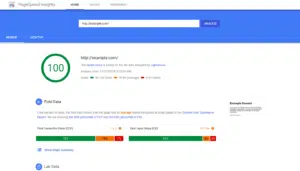
Slow loading is one of the most common issues, especially in WooCommerce stores.
Causes:
- Poor hosting
- Uncompressed images
- Too many or bad plugins
- No caching
- No CDN
Impact:
- Lower Google rankings
- Reduced sales
Professional Solutions:
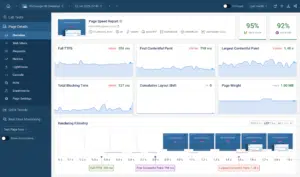
- Use fast hosting (VPS or Cloud)
- Enable caching with plugins like:
- WP Rocket
- LiteSpeed Cache
- Compress images (WebP)
- Use CDN مثل Cloudflare
2. Plugin Conflicts
The Problem:
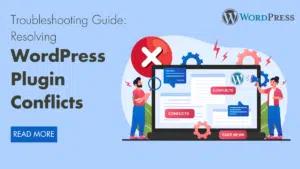
A new plugin can break your entire website.
Causes:
- Incompatible plugins
- Unsynced updates
- Untrusted plugins
📊 According to WordPress.org:
Over 60% of website issues are caused by plugins.
Solution:
- Test plugins before activation
- Use only trusted plugins
- Reduce plugin count
- Use a staging environment
3. White Screen of Death
The Problem:
A blank white page with no content.
Causes:
- PHP errors
- Theme/plugin conflicts
- Memory exhaustion
Solution:
- Enable Debug Mode
- Increase memory limit
- Disable plugins temporarily
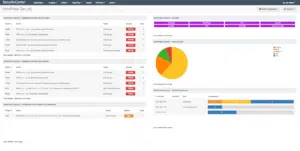
4. Security Issues & Hacking
The Problem:
Website hacking or malware injection.
📊 According to Sucuri:
90% of hacked websites were running outdated WordPress versions.
Causes:
- No updates
- Weak passwords
- Unsafe plugins
Solutions:
- Use security plugins:
- Wordfence
- iThemes Security
- Enable 2FA
- Keep everything updated
5. Database Issues
The Problem:
Error message:
Error Establishing a Database Connection
Causes:
- Server overload
- Database corruption
- Weak hosting
Solution:
- Repair database
- Optimize tables
- Use Object Cache
⚠️ Critical Issue for E-commerce Websites
6. WooCommerce Problems & Their Impact on Sales
The Problem:
- Payment failures
- Slow checkout page
- Order errors
📊 According to Baymard Institute:
70% of users abandon carts due to checkout issues.
Solution:
- Optimize checkout
- Reduce scripts
- Use reliable payment gateways
7. Theme Issues
The Problem:
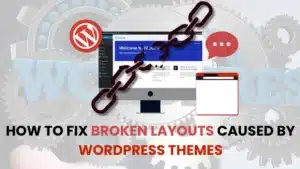
Your theme is your website’s interface. Any issue = bad UX + SEO loss.
Common Symptoms:
- Broken mobile design
- Missing elements
- Slow loading
- Plugin compatibility issues
Causes:
- Nulled (pirated) themes
- Heavy, unoptimized themes
- Poor WooCommerce compatibility
📊 According to Kinsta:
Heavy themes can increase load time by 40% or more.
Professional Solution:
- Use lightweight themes like:
- Astra
- GeneratePress
- Test mobile-first
- Avoid untrusted free themes
8. Update Errors
The Problem:
A simple update can crash your site.
Common Issues:
- Site breaks after plugin update
- Stuck in maintenance mode
- Missing features
📊 According to ManageWP:
35% of WordPress issues occur after updates.
Solution:
- Backup before updates
- Use staging environment
- Update gradually
9. SEO Issues in WordPress
The Problem:
Your website works… but doesn’t appear on Google.
Common Issues:
- Slow speed
- Missing meta tags
- Duplicate content
- Broken links
- No sitemap
📊 According to Backlinko:
Page speed is a major ranking factor.
Solution:
- Use:
- Rank Math
- Yoast SEO
- Connect to Google Search Console
- Improve Core Web Vitals
10. Hosting Problems
The Problem:
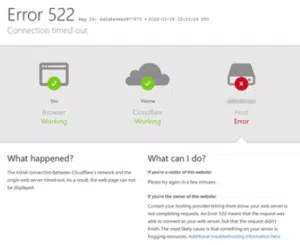
Even the best website can fail due to bad hosting.
Symptoms:
- Extreme slowness
- Downtime
- Frequent errors
📊 Google confirms:
Server speed directly affects rankings.
Hosting Types:
- Shared → Small sites
- VPS → Medium stores
- Cloud → Professional sites
Solution:
- Choose strong hosting
- Use CDN (Cloudflare)
- Monitor performance
🔗 Backlinks
- https://eg-wp.com/
- https://eg-wp.com/servies/
- https://eg-wp.com/shop/
- https://eg-wp.com/news/
- https://eg-wp.com/contact/
11. Permalink & URL Issues
Problems:
- 404 pages
- Broken links
- Poor SEO URLs
Solution:
- Use 301 redirects
- Use clean structure:
/post-name/
12. Media Optimization Issues
The Problem:
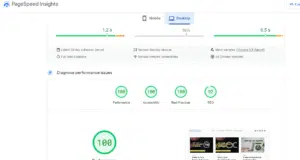
Large images = slow website.
📊 HTTP Archive:
Images represent over 50% of page size.
Solution:
- Compress images
- Use:
- ShortPixel
- Imagify
- Enable Lazy Load
🧠 Professional Insight (SEO + Commercial)
If you have an online store:
👉 Any issue = lost money
Examples:
- Slow site → user leaves → no purchase
- Broken checkout → lost customer
- Poor SEO → no traffic
⚡ 13. Advanced WordPress Speed Optimization
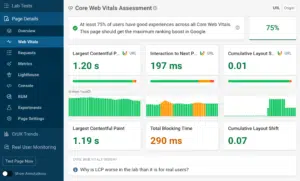
📊 Google:
Speed improvements can increase conversions by up to 20%.
Core Web Vitals:
- LCP
- CLS
- INP / FID
Solutions:
- Advanced caching
- Code minification
- CDN usage
- Smart image loading
🧰 14. Best Tools Stack
Speed:
- GTmetrix
- PageSpeed Insights
SEO:
- Rank Math
- Yoast SEO
Security:
- Wordfence
- Sucuri
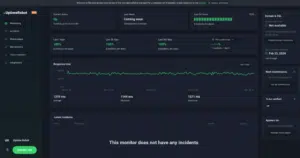
Monitoring:
- UptimeRobot
- ManageWP
📊 HubSpot:
Websites using monitoring tools perform 30% better.
🛠️ 15. WordPress Maintenance Checklist
Daily:
- Check uptime
- Monitor speed
Weekly:
- Update plugins
- Backup
Monthly:
- Optimize database
- Review SEO
🧠 16. Advanced SEO Strategies
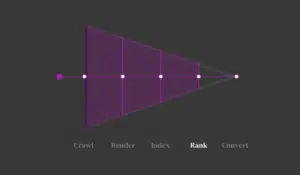
- Understand search intent
- Use long-tail keywords
- Internal linking
- Use schema
- Optimize product pages
💰 17. How WordPress Issues Affect Revenue
| Problem | Impact |
|---|---|
| Slow speed | Lose 30% customers |
| Checkout errors | Lost sales |
| Poor SEO | No traffic |
| Weak security | Loss of trust |
❌ 18. Critical Mistakes to Avoid
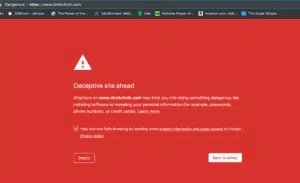
- Using nulled themes/plugins
- No backups
- Random updates
- Cheap hosting
- Ignoring SEO
🧠 19. Professional Management Plan
Setup → Optimization → Security → Growth
⚖️ 20. DIY vs Agency
| Factor | DIY | Agency |
|---|---|---|
| Cost | Lower | Higher |
| Expertise | Limited | High |
| Speed | Slow | Fast |
| Results | Unstable | Consistent |
💰 21. When Do You Need an Agency?
If your site is:
- Slow
- Has SEO issues
- Has frequent errors
- Not generating sales
👉 You need full management, not just fixes
🚀 22. Why Choose eg-wp?
- Speed optimization
- Full security
- SEO growth
- WooCommerce solutions
- Continuous monitoring
📊 23. Statistics
- 53% leave slow sites
- Speed boosts conversions 20%
- 70% abandon carts
🎯 24. Final Conclusion
WordPress issues are not just bugs…
❗ They cause:
- Revenue loss
- Customer loss
- Poor visibility
The real solution:
✔ Strong system
✔ Professional tools
✔ Continuous monitoring
🚀 25. Start Now
👉 Don’t delay
👉 Fix it now
❓ FAQ
What are the most common WordPress issues?
Speed, plugins, themes, updates, SEO, security, database errors.
Why is my site slow?
Weak hosting, images, plugins, no cache/CDN.
How to speed up WordPress?
Caching, WebP images, CDN, reduce plugins.
What causes white screen?
PHP errors, conflicts, memory issues.
Do plugins cause problems?
Yes—over 60% of issues.
How to secure my site?
Security plugins, updates, strong passwords, 2FA.
Why is my site not ranking?
SEO issues, speed, missing meta, weak content.
Best SEO plugins?
Rank Math, Yoast SEO.
Does hosting matter?
Yes—critical for speed and SEO.
Why no WooCommerce sales?
Speed, checkout issues, poor UX, weak SEO.


No comment